Choosing a voice
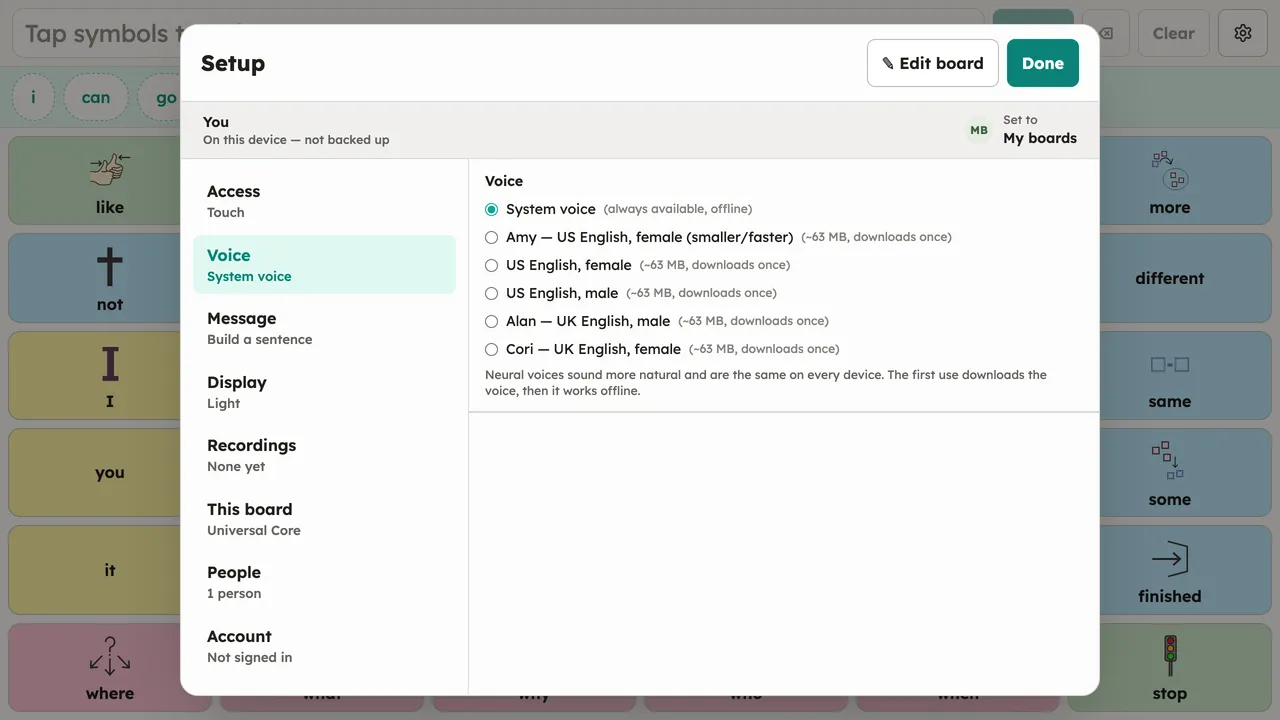
Pick a voice in Setup → Voice (or in Quick setup, step 3). Two kinds are offered:
- System voice: the device’s built-in speech. Always available offline, nothing to download.
- Neural voices: downloadable higher-quality voices that run on the device. Selecting one downloads it with a visible progress bar; after that it works fully offline.
Voices are per-person: each person in People keeps their own choice.
When the voice is getting ready
Section titled “When the voice is getting ready”Right after the app opens — or right after switching voices — the speech engine can need a moment to warm up. When that happens, a small note floats over the bottom of the board (“Getting the voice ready…”, or “Preparing neural voice…” for a neural voice) and disappears on its own. The board stays fully usable the whole time; speech catches up as soon as the voice is ready.